Why Your Wedding Needs a QR Code for Photos
Your wedding day is one of the most photographed moments in your life and yet, some of the best shots happen between the ceremony and the reception, on the dance floor, during the speeches. These candid, joy-filled images often live on your guests’ phones, never to be seen again. Until now.
A wedding QR code for photos changes everything. Instead of hunting down your uncle’s DSLR shots or waiting weeks for guests to email their favorites, you give everyone a simple way to send their pictures straight to you. No apps to download. No complicated instructions. Just scan, snap, and share.
At GUESTPIX, we pioneered this approach to wedding photo collection. We’ve watched thousands of couples transform how they gather memories from their special day. Here’s everything you need to know about making it work for yours.
How Wedding QR Code Photo Sharing Works
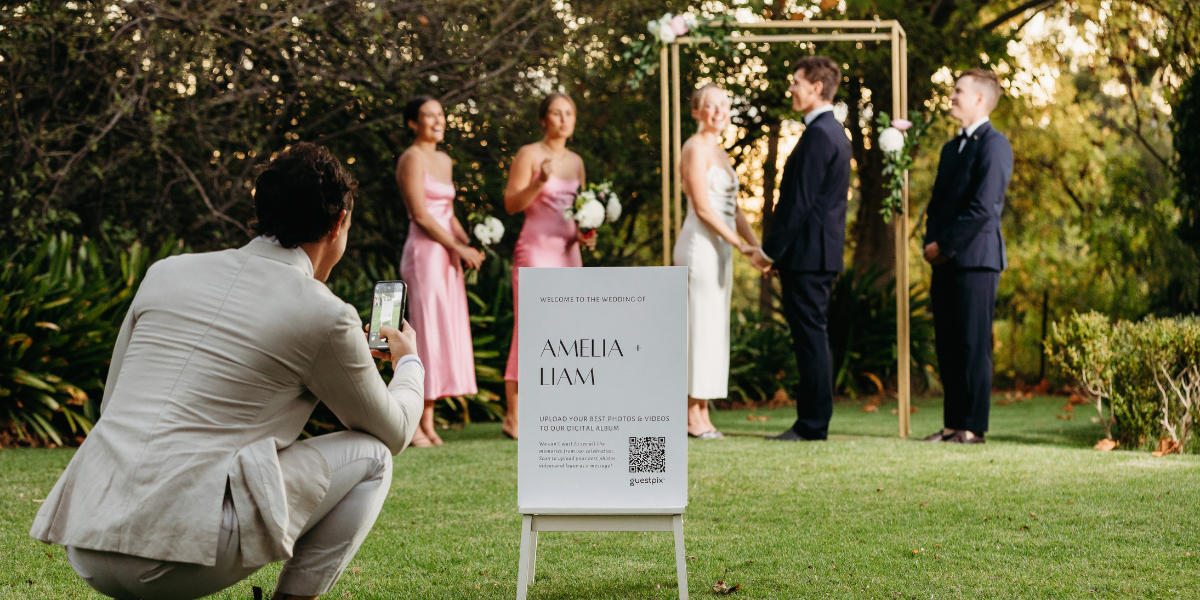
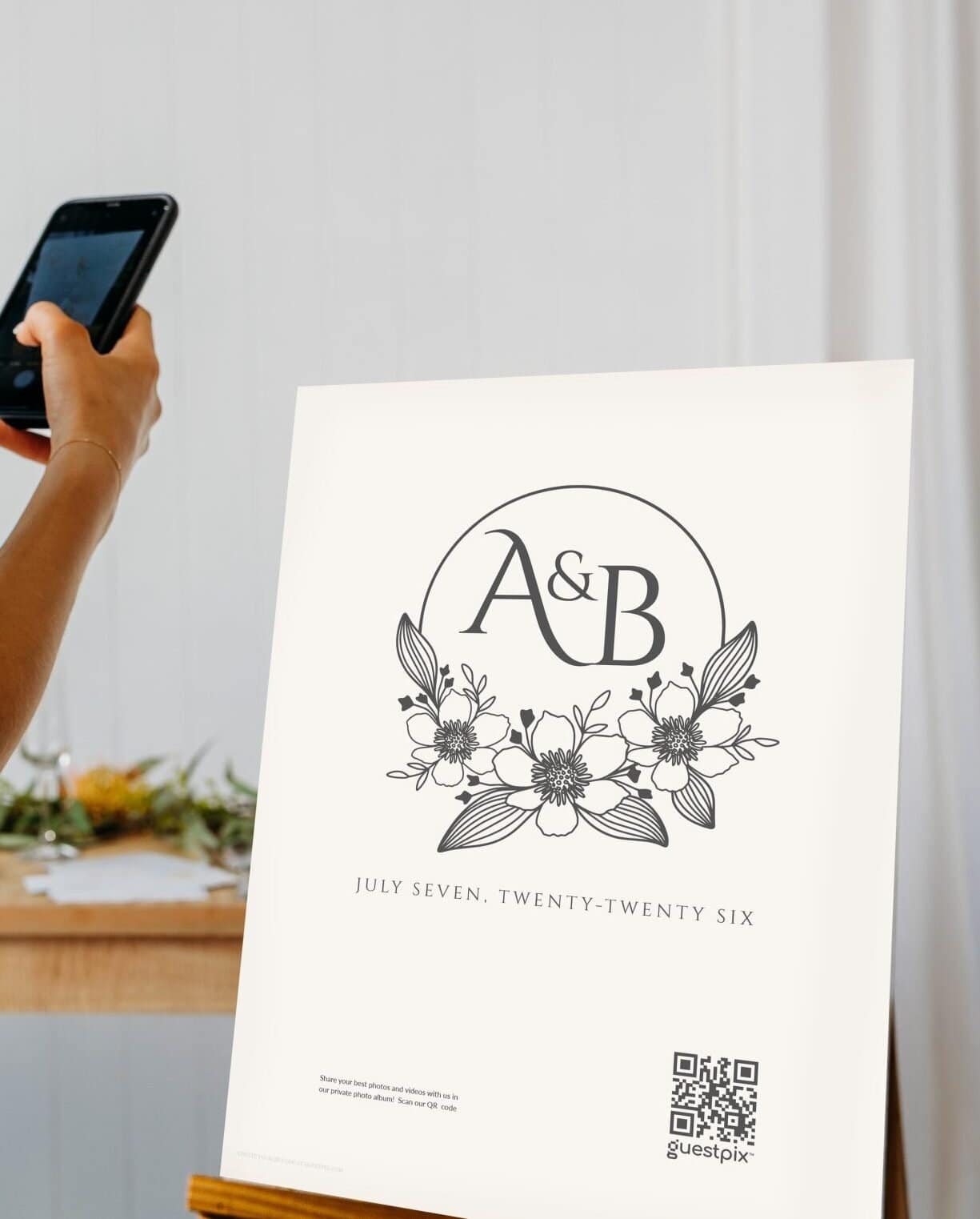
The concept is beautifully simple. You create a unique QR code that links directly to your private wedding photo sharing gallery. Display it on a sign at your reception, include it in your programs, or project it during dinner. Guests scan with their phone cameras- no login, no password, no friction.
Once scanned, they can upload photos directly from their phone’s gallery or take new ones on the spot. Every image lands in your private gallery, organized by date and ready for you to download. The whole process takes under ten seconds for most guests.
This approach removes every barrier that typically prevents photo collection. Guests won’t abandon the process because they forgot an app password or don’t want to create an account. With a wedding QR code for photos, you meet people exactly where they are- on their phone, ready to share.
The Real Advantage: Seeing Your Day Through Their Eyes
Here’s what most couples discover after using a wedding QR code for photos: you were missing entire chapters of your story.
Your photographer captured the formal moments beautifully. But the photo booth’s ridiculous out-takes, your college room-mate’s tearful toast reaction, your grandmother sneaking onto the dance floor – those live on other phones. Your digital wedding guestbook becomes a collection of these moments, seen through the eyes of people who love you.
This is why GUESTPIX built our system the way we did. We wanted couples to receive everything- not just what the professional captured. Every guest becomes a contributor to your visual memory. The result is a richer, more complete story of your day.
Where to Display Your Wedding Photo QR Code
Placement matters more than you might think. The goal is catching guests at moments when they’re relaxed, engaged, and holding their phones (which is basically the entire reception).
The most effective spots include your welcome sign or seating chart display near the entrance, the bar area where lines form during cocktail hour, each table during dinner, and the dance floor entrance. Some couples project a large version on a screen during speeches, giving guests a visual reminder to upload what they’ve captured.
Think about flow. Guests naturally gather in certain areas- the bar, the dance floor, the dessert table. Put your QR code where people naturally pause. And don’t assume one sign is enough. Multiple touchpoints mean more photos, and more photos mean a more complete collection.
Privacy and Control: What Every Couple Should Know
We hear this question constantly: can we control who sees our photos? The answer is a resounding yes. Your wedding QR code for photos leads to a private gallery, not a public feed. Only people with the specific link can view or contribute. You approve everything before sharing with anyone.
GUESTPIX gives couples full ownership and control. You decide which photos to download, which to share in your online gallery, and which to keep private. Guests can also choose to opt out of having their faces tagged or identified. It’s a system designed with respect for everyone involved—couples get the memories they want, guests keep their privacy intact.
This matters more than ever. In an era where digital oversharing feels mandatory, giving guests the choice to participate on their own terms actually increases participation. People appreciate the respect. They upload more when they feel respected.
Making It Work for Every Wedding Style
Intimate backyard ceremony or three-hundred-person ballroom reception? Rustic barn or sleek city loft? The logistics differ, but the core principle stays the same: remove friction, increase participation, collect more memories.
For smaller weddings, a single beautifully designed sign at the entrance works perfectly. For larger events, consider multiple stations and perhaps a dedicated “photo station” with good lighting where guests can take quick pictures specifically for the gallery. The venue layout matters, but QR code placement adapts easily to any space.

After the Wedding: Your Photos, Your Story
Once the last guest heads home, your wedding QR code for photos has done its job but the gallery comes alive in the weeks that follow. Guests often upload photos days later, having sorted through their phone and found that perfect shot from the ceremony. You’ll wake up to new submissions every morning for about two weeks after your event.
From there, you can download everything in high resolution, share curated albums with family who couldn’t attend, or create a highlights reel for your thank-you notes. Some couples build full wedding albums from guest contributions, combining professional shots with candid phone photos for the complete picture.
The gallery stays private for as long as you want. When you’re ready to share pieces publicly, you control the narrative. Nothing goes online without your explicit permission.
Common Questions About Wedding QR Codes
Do guests actually use it?
Yes. Our data shows that average guest participation rates exceed seventy percent for receptions with visible QR codes. The key is placement and reminder- catch people when they’re already on their phones.
What if someone doesn’t have a smartphone?
This is rare but worth considering. For elderly guests or those without smart devices, designate a friend or family member to help them contribute. Their photos matter too, and a quick assist solves the problem entirely.
How do we handle quality?
Phones have become exceptional cameras. Most guest submissions are perfectly suitable for digital sharing, printing, and social use. Don’t discount the value of authentic, candid moments captured at the perfect second.
What’s the setup process?
GUESTPIX handles everything. You create your gallery, customize your QR code’s design, and receive print-ready files for signs and programs. Our platform walks you through every step, and support is available if questions arise.
Start Collecting Your Wedding Memories Today
Your wedding day deserves complete documentation- including the moments your photographer never saw. A wedding QR code for photos gives you access to hundreds of perspectives, captured by people who were there because they love you.
Ready to see your day through everyone’s eyes? Setting up your wedding photo sharing gallery takes minutes, and the memories last forever.
If you want a deeper walkthrough of the entire process, check out our guide on how to collect guest photos at your wedding. We’ve covered every detail, from sign placement to guest communication to gallery management after the event.
Your wedding story has more chapters than you know. A QR code for photos opens the door to all of them.