

We’ve all been there. The morning after the big 30th birthday, the hen’s weekend, a corporate Christmas party, or that perfectly chaotic wedding reunion. You’re sitting on your sofa with a coffee, scrolling through your own camera roll, and you just know your best friend captured that one hilarious moment when the cake nearly toppled. Or your cousin took the only decent group shot where everyone actually has their eyes open.
You want those photos. You want them now. And you want them in all their high-res, uncompressed glory.
But then the “how” happens. And the “how” is usually where the magic dies.
Someone starts a WhatsApp group that immediately nukes the photo quality into a grainy mess of pixels. Someone else tries to figure out how to share an album on iPhone via an iCloud link, but that just leaves your three Android-using friends in a digital wasteland. And then there’s that one person – bless them – who suggests everyone “just email them” or, worse, “upload them to this Dropbox folder” that requires a login, a password reset, and potentially your firstborn child just to view a thumbnail.
If you’re the one in charge of the event, you don’t need another chore. You need a hack. You need the best way to share photos with a group that doesn’t involve you becoming a part-time IT consultant for your Great Aunt Linda.

The “Traditional” Ways (and Why They’re Low-Key Ruining Your Life)
Before we get to the genius solution, let’s pour one out for the methods we’ve been clinging to for a decade. They had their time, but in 2026? They’re the digital equivalent of a fax machine.
1. The WhatsApp/iMessage Trap
It’s the path of least resistance. You already have the group chat, so you just hit “send.”
- The Reality: WhatsApp aggressively compresses images to save data. That stunning sunset shot now looks like it was taken on a 2004 Motorola Razr. Plus, scrolling back through 400 messages to find one photo is a special kind of hell.
- The Verdict: Fine for a quick “look at this lol,” but tragic for memories you actually want to keep.
2. The Shared iCloud Album
If everyone has an iPhone, it’s great.
- The Reality: Not everyone has an iPhone. As soon as you invite a Google Pixel devotee or a Samsung lover, the walls go up. They get a clunky web view that feels like 2009, or they just can’t see the album at all. It’s “AirDrop tribalism” at its worst.
- The Verdict: Divisive. We’re here to bring people together, not start a green-vs-blue bubble war.
3. Google Drive or Dropbox
The “professional” choice.
- The Reality: Have you ever tried to upload 50 photos to a Google Drive folder from a mobile browser? It’s clunky. It usually demands you sign in. It asks you to download the app. For your guests, it feels like a homework assignment.
- The Verdict: Too much friction. If it feels like work, people won’t do it.
The Modern Secret: The “No-App” Web Gallery
Here is the truth: Nobody – and I mean nobody – wants to download a new app to their phone just for one night. Our home screens are already cluttered enough.
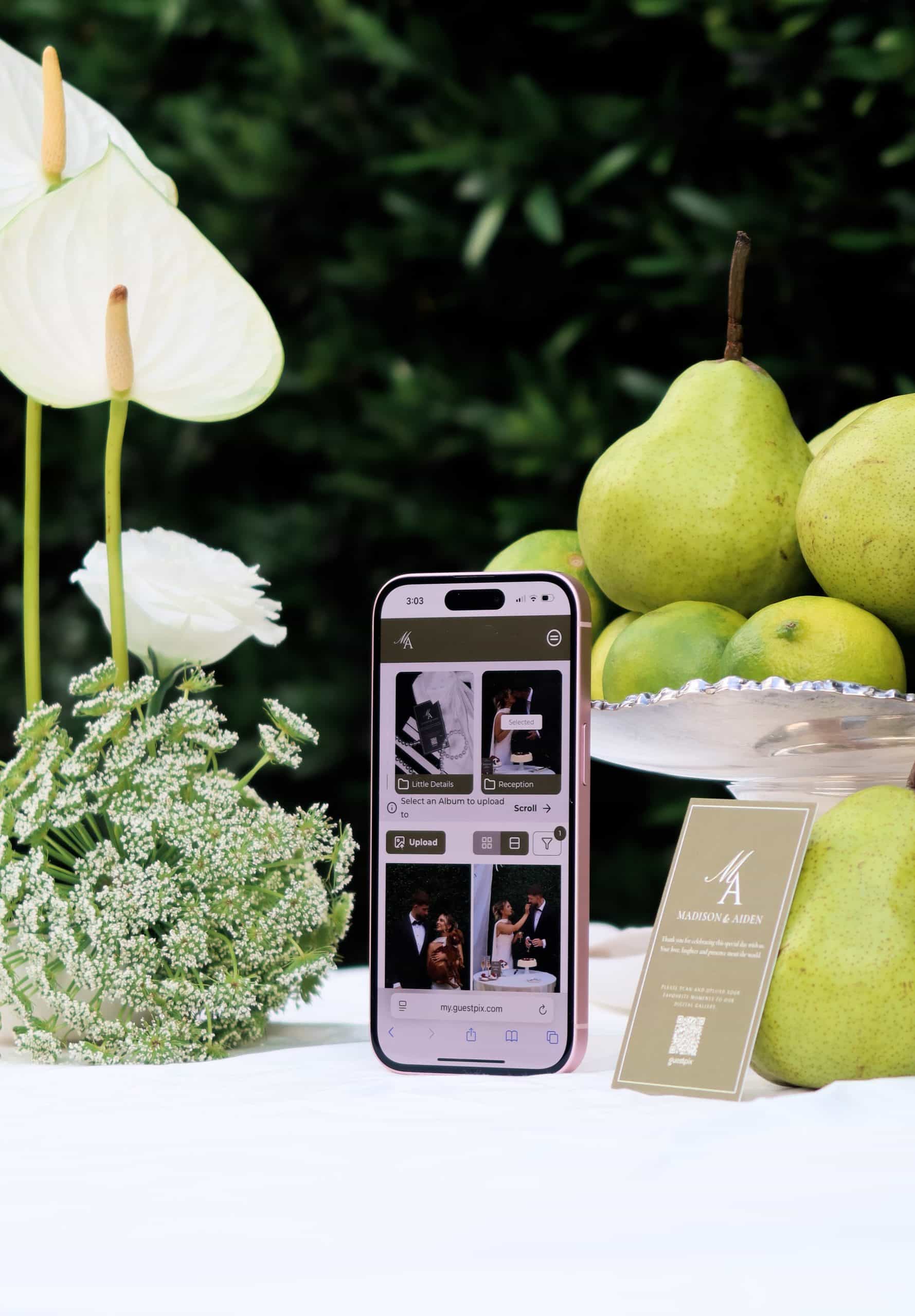
The absolute best way to share photos with a group is through a simple, web-based portal. No logins. No accounts. Just a QR code or a single link that opens in the browser they already use.
This is where the game changes. Imagine a physical QR code sitting on the tables at your party, or tucked into a “Thank You” card. Your guests scan it, their camera opens, and they simply pick the photos they want to share.
They’re done in 30 seconds. You have the photos forever.
Enter GUESTPIX: The Genius Hack for Smart Hosts
If you’re wondering how to collect photos from a group without losing your mind, GUESTPIX is the answer you’ve been looking for. It’s the “lifestyle editor approved” way to handle memories, whether you are trying to figure out how to collect guest photos at your wedding or just grabbing snaps from a weekend trip.
Here is why it’s the superior choice for your next event:
1. Absolutely Zero App Downloads
Your guests don’t need to visit the App Store. They don’t need to create a username. They scan your custom QR code or click your link, and they are in. It works perfectly on every device – iPhone, Android, tablet, whatever.
2. Original Quality (No “Grainy” Disappointments)
Unlike social media or messaging apps, GUESTPIX keeps your photos in their original, high-resolution glory. When you download the gallery at the end, you’re getting the real deal, ready for printing or a high-def slideshow.
3. Unlimited Everything
Some “free” services cap you at 20 photos or 5 guests. GUESTPIX doesn’t play those games. Whether you have 10 guests or 500, and whether they upload 5 photos or 5,000, your gallery is ready for it.
4. It Starts Before the Event Does
One of my favorite features? The Free RSVP tool. Most people think about photo sharing after the party. But a savvy host starts early. By using digital invitations with RSVPs online, you can set up your GUESTPIX gallery weeks in advance. Use the built-in RSVP system to see who’s coming, and then that same link becomes the photo portal on the big day. It’s one link to rule them all.
How to Set It Up in 3 Minutes (Seriously)
If you’re currently organizing a trip, a birthday, or a wedding, here is your step-by-step to becoming the most organized person in the room:
- Create your gallery: Head to GUESTPIX and pick a name for your event.
- Customise your QR code: You’ll get a unique QR code. You can print this on signage, menus, or even just save it to your phone to show people.
- Spread the word: Send the link to your group chat or include it in your digital invitations (INVIPIX is great for this, by the way).
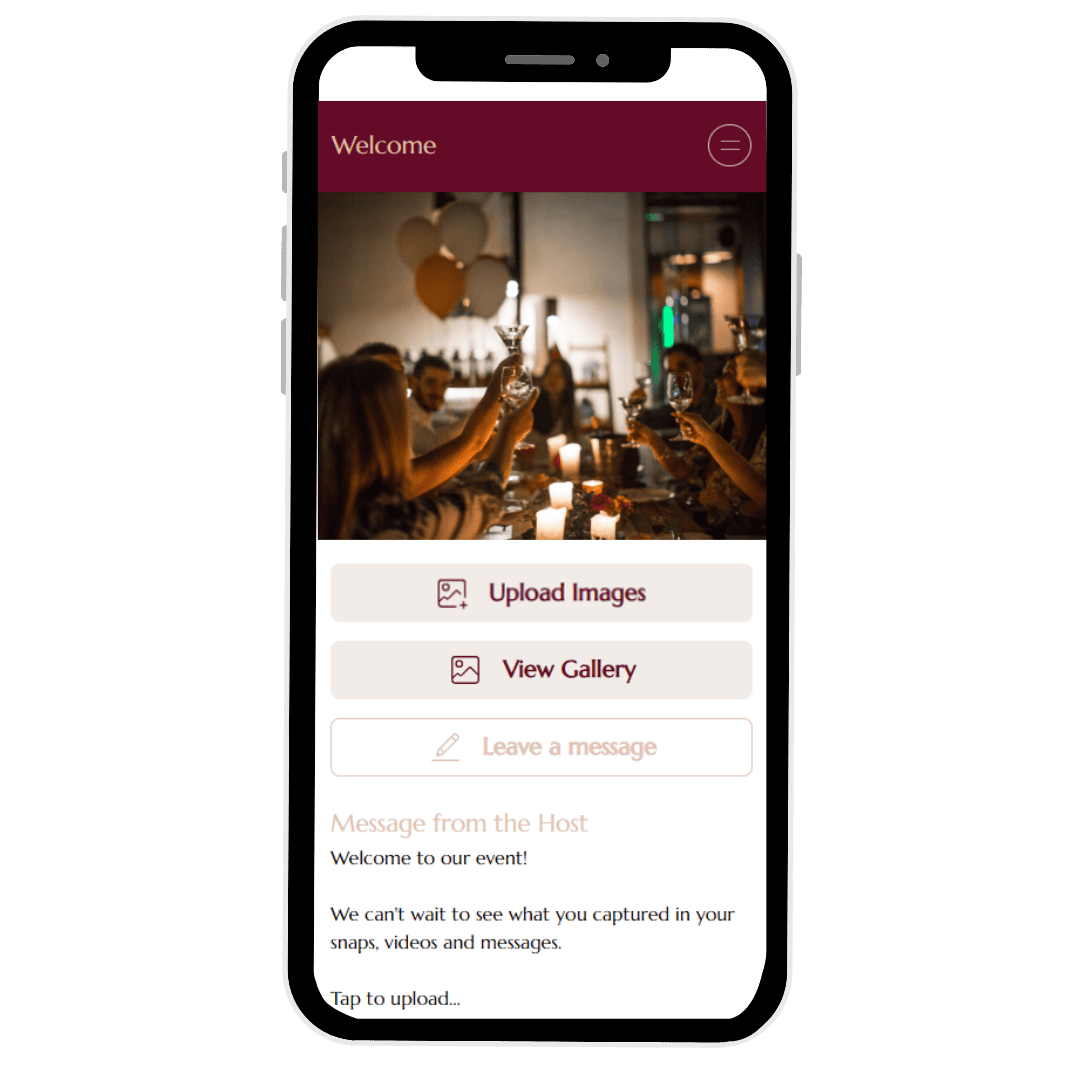
- Watch the magic happen: As the event unfolds, photos will start popping up in your private gallery in real-time. It’s like having a hundred personal photographers.
The “So What?” Test
Why does this matter? Because memories are fragile. If you don’t collect them in the first 48 hours after an event, they stay locked on other people’s phones forever. They get deleted, lost when a phone is upgraded, or simply forgotten.
By making it effortless for your guests, you’re ensuring that the “cake toppling” photo, the candid laugh, and the blurry-but-perfect dance floor selfie actually make it home to you.
Ready to stop chasing people for photos?
Stop being the person haunting the group chat with “Hey guys, can someone please send that video?!”
The best way to share photos with a group is the one that actually gets used. It’s stylish, it’s simple, and it requires zero effort from your guests.
Start your GUESTPIX gallery for free today and see just how easy it is to collect every single memory from your next big moment. No apps. No excuses. Just all your photos, in one beautiful place.
Frequently Asked Questions
What is the easiest way to share photos with a group without an app? +
The easiest way to share photos with a group without requiring app downloads is using a private QR code event gallery like GUESTPIX. You generate a unique QR code or link and share it with your group. Guests simply point their smartphone camera at the code and upload photos directly from their browser in full resolution.
Why do shared albums on Google Drive or iCloud fail at group events? +
Google Drive and iCloud require every contributor to have an active Google or Apple account, log in, and navigate permission settings. They also do not support cross-platform parity (such as Android users accessing Apple Shared Albums). GUESTPIX works seamlessly across iPhone, Android, and web browsers with zero guest logins required.
Can guests upload high-resolution photos and videos to a QR code gallery? +
Yes, guests can upload full-resolution photos directly from their camera rolls to a private GUESTPIX gallery. The host receives all uploaded images without compression, making it simple to download single files or the entire gallery as a zip archive after the event.