The landscape of corporate event planning in 2026 has shifted from the “more is better” era of the early 2020s to a desperate search for simplicity. For the modern event planner, HR manager, or executive assistant, the challenge is no longer finding a tool for a specific task – it is surviving the “Tech Stack Fatigue” that comes from acting as a human bridge between a dozen disconnected apps.
We have reached a tipping point where the friction of managing event technology often outweighs the benefit of the data it collects. Between complex registration workflows and the dreaded SharePoint login loop where team culture goes to die, planners are looking for a leaner, more human approach to gathering people. If you are tired of being the technical support desk for your own company Christmas party or team-building retreat, these seven corporate event planning tools are designed to work for you, not the other way around.
1. GUESTPIX – Registration, RSVPs and Photo Collection
The biggest barrier to guest participation is the “App Fatigue” that sets in the moment someone is asked to download yet another piece of software for a single evening. Most guests follow a strict 10-second rule: if they cannot engage with your corporate event app or gallery within 10 seconds of scanning a QR code, they simply won’t do it.
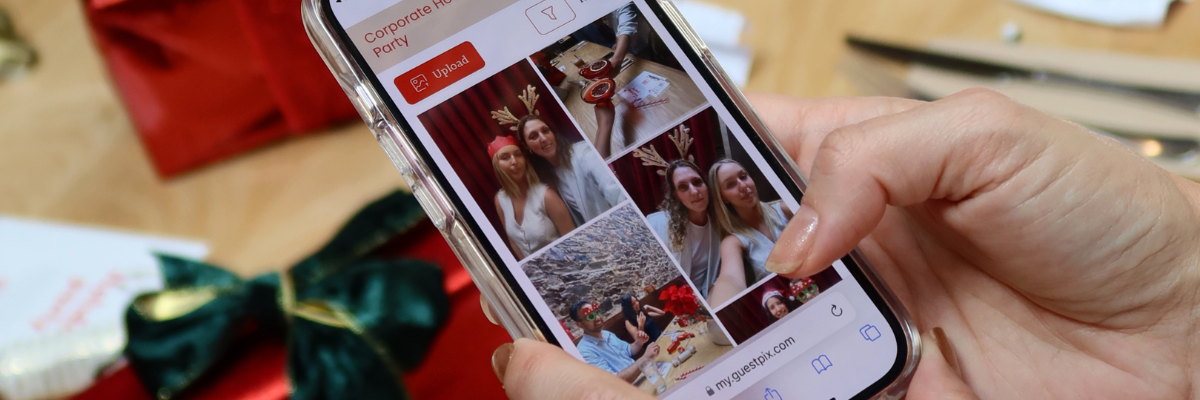
GUESTPIX solves this by removing the download entirely. It functions as a seamless registration and photo-sharing powerhouse that lives in the mobile browser. With business packages that allow you to test the waters, it handles everything from professional RSVPs to rescuing your event’s visual history from the “Photo Abyss.” Instead of chasing employees for weeks to upload their phone snaps to a clunky internal server, GUESTPIX allows them to scan, snap, and upload instantly. The result is a vibrant, real-time gallery that captures the actual energy of the room without the corporate friction.
PRO TIP: You can now use GUESTPIX to manage event RSVPs and send digital invitations for your corporate functions. It’s the easiest way to track attendance and dietary requirements while building excitement for your event. Get started free today.
2. Slack or Microsoft Teams – Real-Time Logistics
Internal communication during an event is a delicate balance. You need a platform that everyone already knows how to use, avoiding the learning curve of a dedicated “staff-only” app. Slack and Microsoft Teams remain the gold standard because they are already open on your team’s devices.
By creating dedicated, time-bound channels for specific event functions – such as #event-logistics-2026 or #catering-comms – you keep the noise out of general workspaces. These platforms allow for instant pivots when a speaker is running late or a VIP arrives early. The key is to leverage the notification settings to ensure the ground crew stays informed without being overwhelmed by the chatter of the office they are briefly trying to forget.
3. ezCater – Managing the Menu Without the Melt-Down
Few things trigger “Spreadsheet Anxiety” like the fear of a visible, public failure – such as serving a shellfish-heavy menu to a guest with a known allergy. When you are managing dietary requirements for 200 people across multiple tabs, a single copy-paste error can lead to a medical emergency or a very unhappy executive.
ezCater has evolved into a sophisticated management tool that helps planners move away from manual tracking. It centralizes catering orders and provides clear, reliable documentation of dietary needs and delivery windows. By automating the verification process and providing a centralized dashboard for all food-related logistics, it cures the late-night panic of wondering if the vegan gluten-free options were actually confirmed or just whispered into a void.
4. Slido or Mentimeter – Engagement Without the Awkwardness
The “any questions?” silence is a universal corporate event dread. Slido and Mentimeter turn that passive interaction into an active, anonymous experience. Whether it is a live poll to gauge the mood of the room or a Q&A session where the most relevant questions are upvoted by the audience, these tools provide a safe space for honest feedback.
This is particularly helpful for HR managers looking to foster a culture of transparency. By allowing employees to ask the hard questions via their own devices, you remove the social pressure of the “roving microphone” and get to the heart of what your team actually cares about. It turns a lecture into a conversation, which is the hallmark of a successful 2026 event.
5. Canva – High-End Branding on a Human Budget
In the past, every piece of event signage required a design degree or a three-week lead time with an agency. Canva has democratized the process, allowing planners to create cohesive, professional event branding in minutes. From digital invitations that set the tone to physical wayfinding signs that keep the crowd moving, the platform ensures that your event looks expensive even if the budget was lean.
The magic of Canva in a corporate setting is the “Brand Kit” feature. It allows you to lock in your company’s exact fonts and colors, ensuring that every asset – from the social media teasers to the on-site menus – stays perfectly on-brand without a constant back-and-forth with the marketing department. It is the ultimate tool for maintaining a premium feel across every touchpoint of the guest experience.
6. Monday.com or Asana – The Command Center
A corporate event is essentially a thousand small tasks moving in the same direction at different speeds. To avoid the Tech Stack Fatigue of checking five different places for a status update, you need a single source of truth. Monday.com and Asana have become the go-to project management tools for planners who need to visualize their timeline.
These platforms allow you to assign tasks, set dependencies, and track budgets in a way that is far more dynamic than a static document. When the CEO asks for a progress report, you don’t need to spend two hours compiling data; you simply show them the board. It provides the high-level oversight needed to keep the big picture in focus while ensuring the smallest details – like ordering the lanyards – don’t fall through the cracks.
7. Typeform – The Post-Event Truth
The success of an event is often measured by the feedback it generates, but getting people to fill out a boring survey is a challenge in itself. Typeform approaches data collection with a “one question at a time” philosophy that feels more like a chat and less like an interrogation.
By making the post-event feedback loop visually engaging and mobile-friendly, you significantly increase your response rates. It allows you to move beyond simple “out of five” stars and gather the qualitative insights that help you improve for next year. When the interface is beautiful and the logic is smart, people are much more likely to give you the honest, detailed answers you need to prove the ROI of your event to the board.
Stop Fighting Your Tech Stack
The goal of corporate event planning in 2026 is to be more present in the room and less buried in your phone. By choosing tools that prioritize ease of use and guest participation, you can finally retire the manual trackers and the constant technical troubleshooting. If you are ready to ditch the Spreadsheet Anxiety and the Photo Abyss for good, start with the most important part of any event: your guests. Create a seamless, professional experience from the very first click, whether you’re brainstorming corporate event themes or looking for unlimited plans. Want to see how it works firsthand?