

You have spent months-perhaps even years-perfecting every tiny detail. The floral arrangements are exactly as you envisioned, the lighting sets the perfect mood, and the guest list is a collection of your favorite people in the world. When the music starts and the laughter fills the room, you know magic is happening. Naturally, you want to see every second of it. You want the candid shots from the back of the room, the blurry dance-floor selfies, and the quiet moments your professional photographer might have missed.
When it comes to the question of how to share photos on Google Drive, many hosts default to what they know. We use it for work presentations and tax documents, so why not for wedding photos? It is the reflexive choice, the “default dilemma” of the modern event planner. We assume that because everyone has a Google account, it will be the easiest path. But your wedding or milestone birthday is not a quarterly budget review, and treating your memories like office files comes with a surprisingly high cost in user experience.

The stakes are higher than you might think. A clunky photo-sharing process does not just mean fewer photos; it means your guests stop engaging with the moment to troubleshoot a folder. Instead of celebrating, they are staring at loading bars and permission errors. Let’s look at why the “safe” choice of a Google Drive share photos folder often leads to a gallery that is frustratingly empty.
The “Request Access” Loop: Killing the Party Momentum
Picture this: Your cousin has just snapped the perfect shot of your first dance. They see your “Upload here!” sign with a Google Drive link. They click it, eager to share the magic. Instead of an upload button, they see a cold, grey screen that says: “You need permission. Request access?”
This is the beginning of the “Request Access” loop, the ultimate momentum killer for any celebration. Even if you think you set the folder to “Anyone with the link can edit,” Google’s security protocols often trigger a login requirement. If a guest is not logged into their specific Google account on their mobile browser, they are locked out. They send the request, which goes to your inbox-an inbox you (hopefully) are not checking while you are cutting your cake or hitting the dance floor. By the time you “approve” the access the next morning, the spark of the moment is gone, and that photo stays forever on their camera roll, never to be seen by you.
The Mobile Upload Nightmare: Browsers vs. Apps
Google Drive was built for desktops, not for the frantic, joyful environment of a live event. When guests try to use a Google Drive share photos link on their phones, they hit a wall. If they do not have the Google Drive app installed, the mobile browser version of the site is notoriously temperamental. It struggles with selecting multiple files, often freezing mid-upload or timing out if the screen goes dark.
If they do have the app, they are often forced to jump through several hoops just to find the right folder and start the process. Forcing your guests to download a new app or sign into a corporate platform just to give you a photo is a big ask. Most guests will try once, encounter a hurdle, and put their phone back in their pocket. A great event should feel seamless and light-not like a tech support session.
The “Corporate Filing Cabinet” Aesthetic
Your event is a reflection of your style. You chose the stationery, the colors, and the music to create a specific atmosphere. A Google Drive folder is, quite literally, a filing cabinet. It is a grid of grey folders and filenames like “IMG_5842.jpg.” There is no warmth, no visual storytelling, and no beauty in the interface.
When guests look at a Google Drive share photos gallery, they do not see a celebration of memories; they see a data repository. There is no way to customize the look to match your theme, no elegant slideshow feature, and no sense of occasion. It feels clinical and cold. Your memories deserve a home that feels as special as the day they were captured, not a space shared with old spreadsheets and work PDFs.
The 15GB Storage Limit Trap
One of the most practical reasons to look for Google Drive alternatives for photos is the storage wall. Every free Google account comes with 15GB of storage. This sounds like a lot until you realize it is shared across Gmail, Google Docs, and every other file in that person’s account.
In the age of 4K video and high-resolution smartphone cameras, 15GB vanishes in an instant. A single minute of 4K video can take up nearly half a gigabyte. If you have 50 guests uploading videos, your “free” folder will be full before the appetizers are finished. When the storage hits its limit, the uploads simply stop. Guests will see an “Upload failed” message with no explanation, and you will be left with a partial gallery. You could pay for more storage, but then you are stuck managing a monthly subscription just to keep your wedding videos safe.
A Better Way: Why GUESTPIX Wins
This is where the magic happens. GUESTPIX was designed specifically to solve every one of these heartaches. We believe that collecting memories should be as joyful as making them. Instead of a “corporate filing cabinet,” you get a beautiful, curated space that feels like an extension of your event.
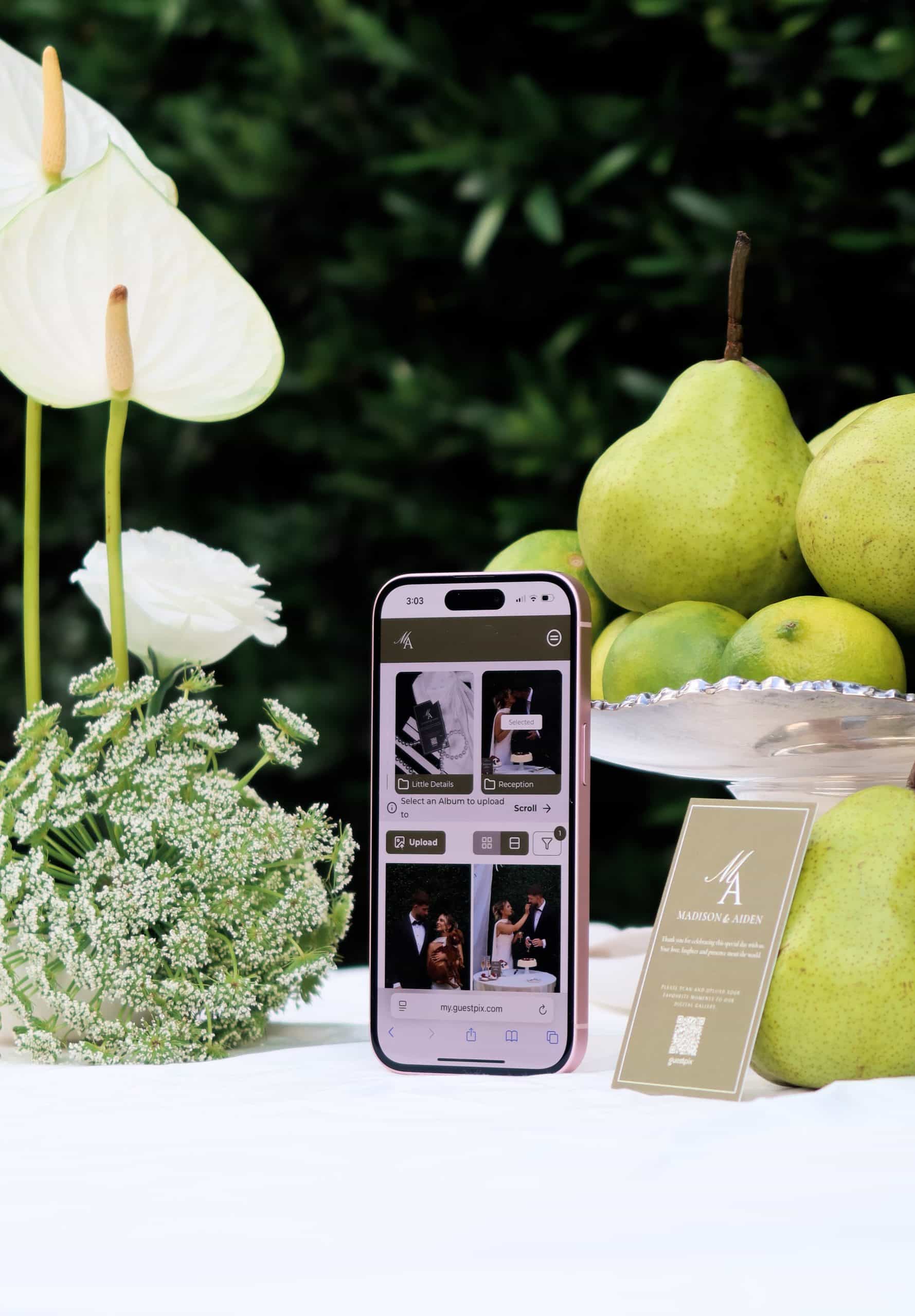
The GUESTPIX experience is built on simplicity. There are no apps for your guests to download and no accounts for them to create. They simply scan a QR code-stylishly displayed at your venue-and they are instantly in your gallery. They can pick their favorite photos and videos and upload them in seconds. No “Request Access” loops, no login friction, and no technical hurdles. It just works.
While Google Drive leaves you worrying about 15GB limits, GUESTPIX offers unlimited storage for your photos and videos. Your guests can capture every speech, every dance, and every laugh in full high-definition without ever hitting a wall. You get a single, high-resolution zip file of everything at the end, making it easy to keep your memories safe forever.
Stop Managing Files, Start Collecting Memories
Your wedding or party is a once-in-a-lifetime event. The moments captured by your friends and family are priceless-they are the “between the scenes” looks at the best day of your life. Don’t risk losing those treasures to the frustrations of a generic file-sharing site. When you look at how to share photos on Google Drive, you’ll see a world of permissions and storage limits. When you look at GUESTPIX, you’ll see a world of memories.
Choose a solution that honors your event’s style and respects your guests’ time. Leave the spreadsheets for Monday morning and give your memories the beautiful home they deserve.