Last Updated: January 2026 | Reading Time: 12 minutes
You only get married once.
Your wedding day flies by in a blur. Between the ceremony, cocktail hour, dinner, and dancing, you’ll experience hundreds of precious moments but you won’t see most of them.
While your professional photographer captures the staged shots and key moments, your guests are snapping candid photos from angles and perspectives you’ll never get from your photographer alone. That sunset selfie with your college friends. Your grandmother tearing up during the vows. Your nephew’s hilarious dance moves at the reception.
The problem? Most of these guest photos never make it to you. They stay scattered on phones, buried in group chats, or forgotten completely.
And you can’t go back and redo your wedding to collect them.
This guide will show you exactly how to capture every single photo your guests take- using proven methods from 150,000+ weddings we’ve powered at GUESTPIX.
Table of Contents
- Why Guest Photos Matter
- The Methods for Collecting Wedding Guest Photos
- What Actually Works: QR Code Photo Sharing
- When Guest Photos Actually Get Uploaded
- How to Maximize Photo Collection
- Setup Guide for Your Wedding
- What to Do With Guest Photos After
- You Only Get One Chance
- FAQs Why Guest Photos Matter (More Than You Think)
Why Guest Photos Matter (More Than You Think)
Professional wedding photography is essential. But guest photos capture something completely different.
What your photographer captures:
- Posed portraits and family formals
- Key ceremony and reception moments
- Artistic detail shots
- Professionally composed images
What your guests capture:
- Candid moments from their perspective
- Photos of themselves enjoying your wedding
- Behind-the-scenes moments you didn’t see
- The energy and atmosphere of the celebration
- Multiple angles of the same moment
From our experience serving 150,000+ events:
- Couples who actively encourage photo sharing receive 500+ guest photos on average
- Couples who don’t encourage sharing receive about 250 photos
- Most couples never see the majority of their guests’ photos
These aren’t just extra photos. They’re the complete story of your day- told by the people who love you most.

The Methods for Collecting Wedding Guest Photos
Let me show you every method couples try, what actually works, and what doesn’t.
Method 1: “Just Text Me Your Photos Later”
How it works: After your wedding, you ask guests to text or email their photos.
Reality check:
- Guests have good intentions but get busy
- Photos arrive weeks later (if at all)
- Different formats and sizes
- Impossible to organize
- You spend months chasing people
Verdict: ⭐ 1/5 stars. This frustrates everyone and fails consistently.
Method 2: Social Media Hashtag
How it works: Create a custom hashtag (e.g., #SmithWedding2026) and ask guests to use it on Instagram/Facebook.
What we’ve learned:
- Only captures photos guests choose to make public
- Many guests don’t use social media
- Photos are compressed/low quality
- Hashtags get misspelled or forgotten
- Difficult to download in bulk
- Excludes private moments
Best for: Creating social buzz, NOT for collecting all photos
Verdict: ⭐⭐ 2/5 stars. Nice supplement, terrible as your only method.
Method 3: Google Photos/iCloud Shared Album
How it works: Create a shared album and send guests the link.
The challenges:
- Requires specific account (Google or Apple)
- Many guests don’t know how to use shared albums
- Link gets lost in emails
- Technical friction stops participation
- Photos compressed
- Takes weeks for uploads to trickle in
Best for: Tech-savvy friend groups (if everyone uses the same ecosystem)
Verdict: ⭐⭐ 2.5/5 stars. Works for some, excludes too many.
Method 4: Disposable Cameras
How it works: Place disposable cameras on tables, collect them at end, get them developed.
Reality check:
- Fun nostalgic activity
- But only 27-39 shots per camera
- Expensive ($15-25 per camera + developing)
- Takes 1-2 weeks to develop
- Poor quality in low light
- Doesn’t solve the smartphone photo problem (where most photos are)
Verdict: ⭐⭐⭐ 3/5 stars. Fun addition, not a solution.
Method 5: Wedding Photo Apps (Requiring Download)
How it works: Guests download an app to upload photos.
The problem:
- App download is a massive barrier
- Many guests won’t download “another app”
- Some don’t have storage space
- Older guests get confused
- You lose participation at the download step
Best for: Very tech-savvy guest lists who you can convince pre-wedding
Verdict: ⭐⭐⭐ 3/5 stars. Better than nothing but unnecessary friction.
Method 6: QR Code Photo Sharing (No App Needed)
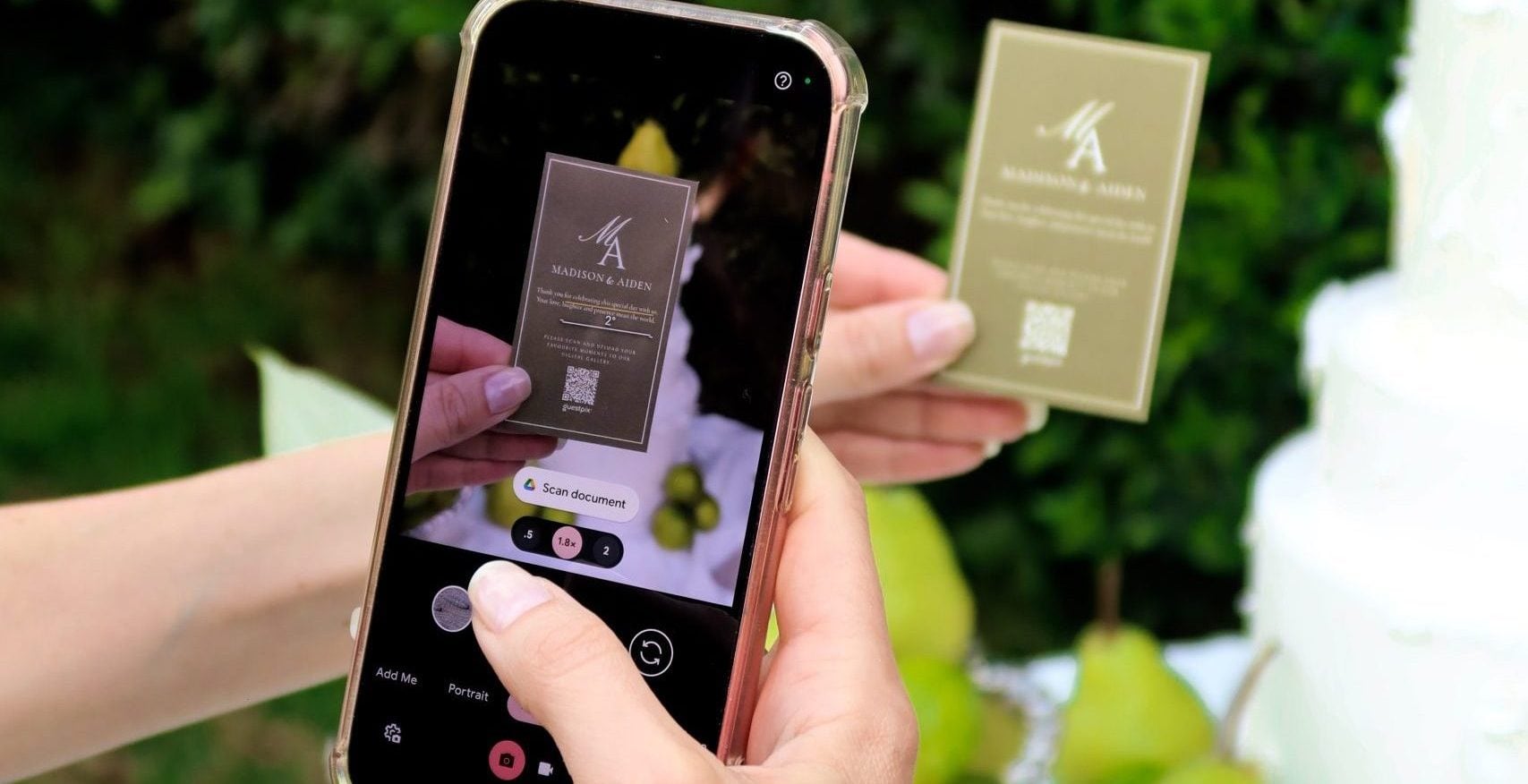
How it works: Display QR codes at your wedding. Guests scan with their phone camera. Browser opens instantly. They upload photos. Done.
Why this works (from 150,000+ events):
- No app download = no friction
- Works on any smartphone (iPhone, Android)
- Guests scan and upload in 10 seconds
- High-resolution photos preserved
- All photos in one organized place
- Can keep collecting after wedding
- Works for all ages and tech comfort levels
- You end up with a beautiful digital wedding guestbook
Our data shows:
- Couples who actively promote QR codes: 500+ photos
- Couples who just put it out without encouragement: 250 photos
- The difference is HOW you promote it, not the technology
Verdict: ⭐⭐⭐⭐⭐ 5/5 stars. This is what we built GUESTPIX for, and it’s proven across 150,000+ events.
What Actually Works: QR Code Wedding Photo Sharing
Let me show you exactly how this works and why it’s become the standard.
The Guest Experience (Takes 10 Seconds)
- Guest sees QR code displayed at your wedding
- Opens phone camera (built-in, no app)
- Points camera at QR code
- Taps the notification that appears
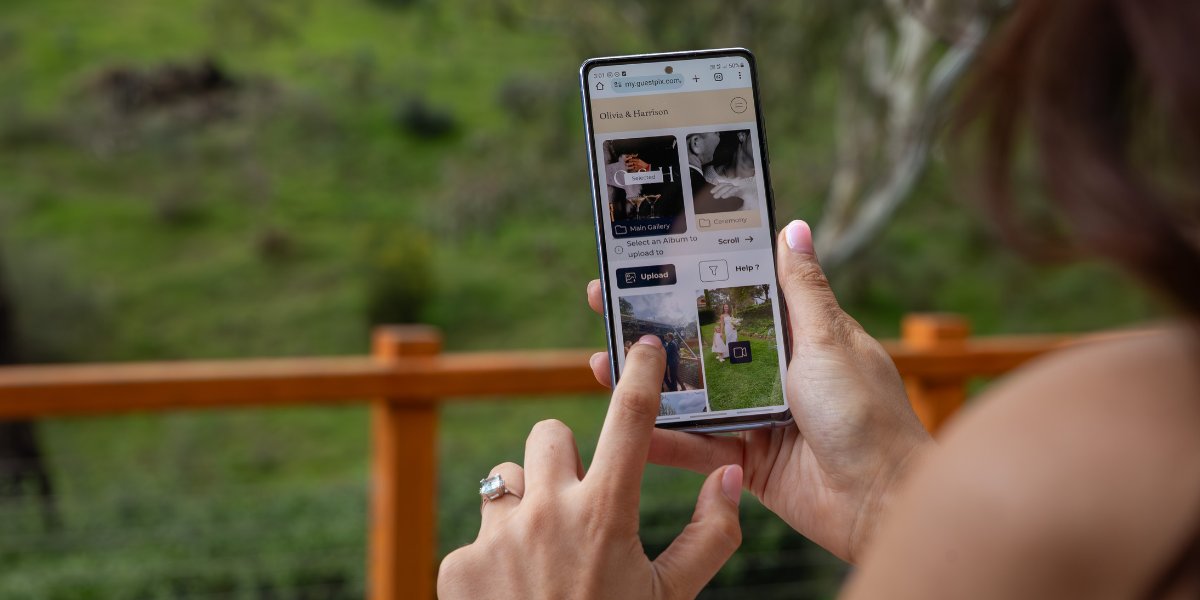
- Browser opens to upload page
- Selects photos from camera roll
- Photos upload instantly
- Can browse all photos other guests shared
That’s it. No account creation. No email entry. No app download.
Why QR Codes Work So Well
Zero friction is everything. In our 150,000+ events, we’ve learned:
- Every extra step cuts participation significantly
- App downloads are the biggest killer of participation
- Older guests can do this just as easily as younger ones
- “But I don’t want to download something” is the #1 objection that QR codes eliminate
- A clean, instant and simple alternative to disposable cameras
Where to Display QR Codes at Your Wedding
Critical locations:
- On each table (printed on table number or separate card)
- At the entrance (welcome sign or easel)
- Near the bar (people linger here)
- Bathroom mirrors (seriously- people check phones here)
Why multiple locations matter: From our data: Couples who place QR codes in 5+ locations get 2x more photos than couples with only 1-2 locations.
Creating Your QR Code Photo Collection
What you need in a platform:
- Unlimited photo uploads
- High-resolution preservation
- Mobile-optimized upload page
- Works without app download
- Download all photos as ZIP file
- Privacy controls
GUESTPIX provides all this plus features we’ve built specifically from feedback across 150,000+ events.
Cost consideration: ~$100-300 depending on features. Compare this to:
- Photographer for extra hours: $500-1,000
- Never seeing most guest photos: priceless
When Guest Photos Actually Get Uploaded
This is important and might surprise you.
What We’ve Learned from 150,000+ Events
Most photos are uploaded THE NEXT DAY, not during the wedding.
Here’s the typical pattern:
- During wedding: Some guests upload (especially during cocktail hour/dinner)
- That evening: Small trickle of uploads
- Next day: HUGE wave of uploads (this is when most people go through their photos)
- Week after: Second wave (people who forgot)
- After you send reminder: Third wave
Why this matters for your strategy:
- Don’t panic if uploads are slow during the wedding
- Send a thank you text/email the next day with the link
- Keep the collection open for at least 2 weeks
- Most guests want to curate what they upload (they take 50 photos but upload their best 10)
The “Live Slideshow” Question
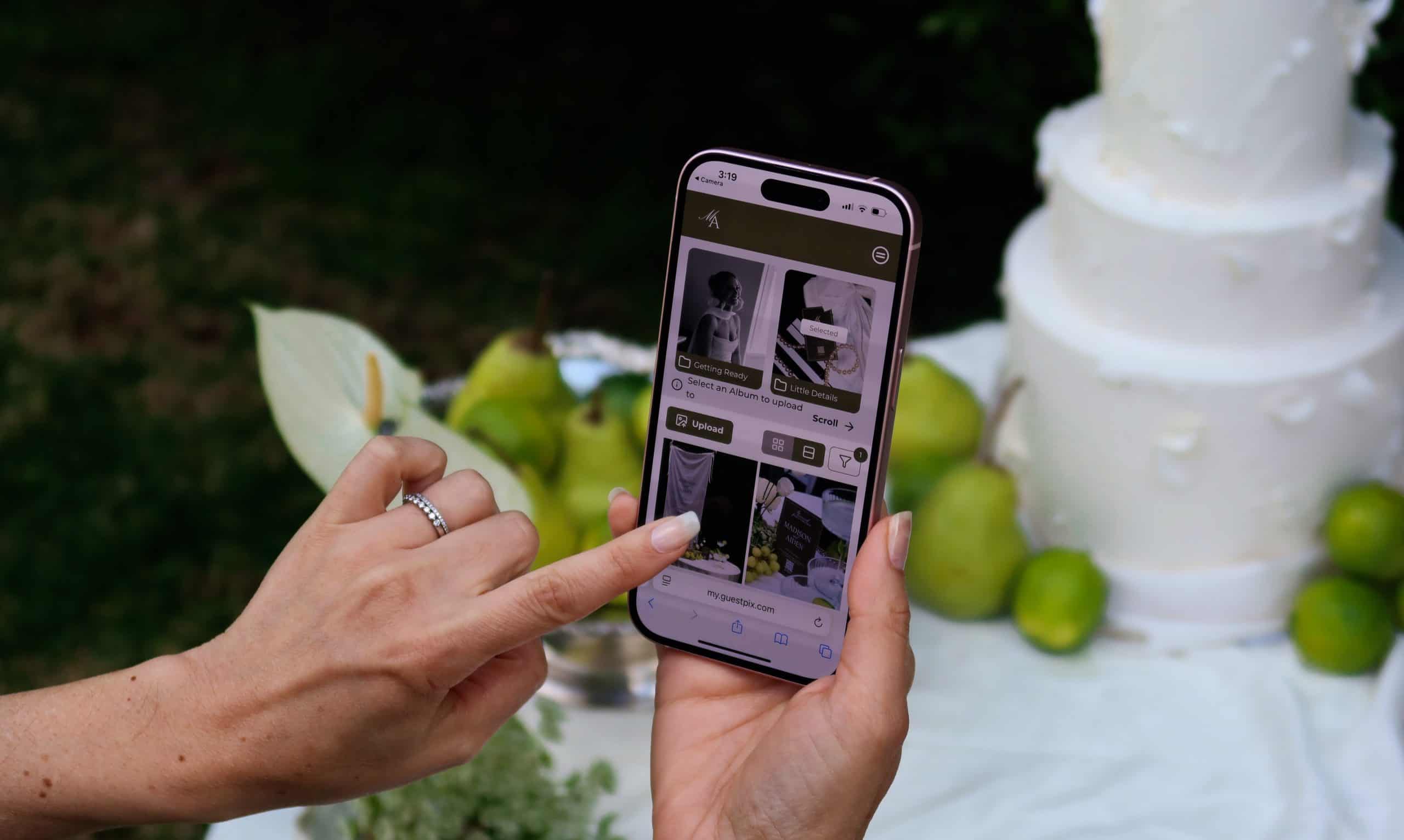
Many platforms (including GUESTPIX) offer live slideshows that display photos as they upload during the reception.
Our honest take:
- It’s a cool feature IF you have the AV setup
- It does create some social engagement
- But most photos still come the next day regardless
- Don’t stress if you can’t do this
The slideshow is nice-to-have, not make-or-break.
How to Maximize Photo Collection
From 150,000+ events, here’s what actually drives photo sharing:
Before the Wedding
2 weeks before:
- Send email/text to guests with QR code link
- “We’re using QR codes to collect photos- no app needed!”
- Set expectations: “We want to see your perspective on our big day”
Why this helps: Pre-awareness means guests know what to expect
During the Wedding
What works:
- QR codes visible in multiple locations
- DJ/MC announces it ONCE (not repeatedly)
- Wedding party encourages friends
- Signage with simple instructions
What doesn’t work:
- Repeated announcements (annoying)
- Complicated instructions
- Asking people to upload “right now” (they’ll do it later)
After the Wedding (This is Critical!)
Next day text/email: “Thank you for celebrating with us! We’d love to see your photos from yesterday. Upload them here: [link]. Can’t wait to see your perspective on our special day!”
From our data: This follow-up text drives 40-50% more uploads.
One week later: “We’ve received [X] amazing photos so far! If you haven’t uploaded yours yet, we’d love to have them: [link]”
Keep collection open for 30 days minimum. People find photos weeks later.
Setup Guide for Your Wedding
2-3 Months Before Wedding
Choose your method:
- Evaluate if you want QR code system (we obviously recommend GUESTPIX)
- Sign up for platform
- Test it with a few friends
Design considerations:
- Order printed QR code signage
- Match your wedding aesthetic
- Make codes at least 3×3 inches (bigger is better)
- Simple instructions: “Scan to share your photos!” or “Scan to join the fun!”
1 Month Before Wedding
Test everything:
- Scan QR codes with different phones
- Test the upload process
- Verify it works on slow WiFi/cellular
- Make sure photos appear correctly
Print materials:
- Table cards with QR codes
- Welcome sign with QR code
- Backup cards (some will get damaged)
Send pre-wedding message:
- Include QR code link in welcome email
- Brief explanation of how it works
- Build anticipation
1 Week Before Wedding
Pack everything:
- All printed QR code materials
- Stands/easels for signs
- Backup cards
- Test one more time
Wedding Day
Set up early:
- Place QR codes in all locations
- Test scan one more time
- Show wedding party how it works
- Ask them to be ambassadors
During reception:
- Have DJ make 1 announcement (max)
- Don’t stress about uploads
- Remember: most come tomorrow
Day After Wedding (CRITICAL!)
Send thank you text: Include the magic gallery link again. From our data, this drives 40-50% more photo uploads.
Example: “Thank you for celebrating our wedding! We’d love to see your photos. Please don’t forget to upload here: [link]”

What to Do With Guest Photos After Your Wedding
You’ve collected 500+ guest photos. Now what?
Immediate (Week After Wedding)
1. Download everything
- Download all photos as high-resolution files
- Back up to cloud + external drive
- Don’t rely only on the platform
2. Send access to everyone
- Share link so all guests can view photos
- Many guests want to see themselves
- This often prompts more uploads
3. Tag and organize
- Flag favorites
- Create albums: Ceremony, Reception, Getting Ready
- Use facial recognition if available
Short-Term (Month After Wedding)
4. Share with family
- Create private albums for parents/grandparents
- Print some favorites for older relatives
5. Create social content
- Post favorite candids to social media
- Tag guests
- Video montage from guest photos
6. Send to photographer
- Share guest photos with your photographer
- They might include some in your album
- Different angles of key moments
Long-Term
7. Create physical albums
- Mix professional + guest photos
- Tells the complete story
- Print albums for parents
8. Anniversary reminders
- Revisit photos each year
- Share “this day X years ago” content
You Only Get One Chance
This is important, so I’m making it a section:
You get married once (hopefully). You can’t redo your wedding to collect photos you missed.
That’s why you need to use a platform you can trust.
GUESTPIX has powered 150,000+ weddings, parties, and events. We’re not a startup that might disappear. We’re not a free app built by someone in their spare time. We’re a proven, company that’s been doing this for years.
Your wedding photos are irreplaceable. Don’t trust them to an untested platform.
When you see competitors offering “free” photo sharing or some new app with no track record, ask yourself: Will they still exist in 5 years when you want to access these photos?
GUESTPIX will. We’ve proven it.
Frequently Asked Questions
How many photos should I expect from guests?
From our 150,000+ events:
- With our active engagement tools: 500+ photos average
- Without our active engagement tools: ~250 photos
- We do see a big spectrum in outcomes though, and the more you promote your GUESTPIX gallery at and after your event, the more photos you will receive
When do guests actually upload photos?
Most uploads happen the day after your wedding, not during the event. This is why sending a follow-up message is critical.
Do I need WiFi at my venue?
Not necessarily- QR codes work on cellular data. But venues with good WiFi do see higher upload rates because guests can upload multiple photos faster.
Should I worry about inappropriate photos?
In 150,000+ events, inappropriate photos are extremely rare. Your guests love you. GUESTPIX offers powerful host tools to easily delete inappropriate messages and guests can flag these immediately hiding them, in case you miss it.
Can guests download photos too?
Yes, and you should let them! This increases engagement and saves you from “can you send me that photo?” requests.
What if my guests aren’t tech-savvy?
QR codes work across all age groups because:
- No app download needed
- Built into phone cameras
- Very simple process
- We’ve seen 80-year-old grandparents successfully upload on very old smart phones
What about privacy?
Most platforms (including GUESTPIX) offer privacy controls:
- Photos only visible to people with link
- Can restrict downloads
- Can moderate before photos go live
How long do I have access?
With GUESTPIX, you have a minimum of 12 months access to your event and can extend at any time. You can always download and backup your photos. GUESTPIX has 3x copies of every photo (to ensure not a moment is lost), but you should never rely only on any platform.
Can I collect photos from multiple events?
Yes! Use separate QR codes for:
- Rehearsal dinner
- Wedding day
- Next-day brunch
Each gets its own photo gallery.
Conclusion: Don’t Miss Your Own Wedding Photos
Your guests will take hundreds of photos at your wedding. The question is: will you actually get to see them?
You only get married once. You can’t go back and redo this.
The old methods fail because they create friction. Your guests have great intentions, but “email me later” or “download this app” means it won’t happen.
The solution: Make it effortless to share photos, starting from your wedding day.
QR code photo sharing works because it eliminates every barrier. No apps. No accounts. No “I’ll do it later.” Just scan, upload, done.
From our experience with 150,000+ events:
- Traditional methods: You’ll see maybe 50-100 guest photos
- QR code with active encouragement: You’ll collect 500+ guest photos
That’s 10x more memories from your once-in-a-lifetime celebration.
Ready to collect all your wedding photos?
GUESTPIX has powered 150,000+ weddings worldwide. We’re proven, trusted, and built specifically for this.
- ✅ No app download required
- ✅ Works on any smartphone
- ✅ Unlimited high-resolution storage
- ✅ Active encouragement = 500+ photos average
- ✅ Download everything after your wedding
- ✅ Australian-based, proven company
- ✅ We’ll be here in 10 years when you want to access these photos
You only get married once. Don’t miss the photos.
[Learn more about GUESTPIX for weddings here]
About GUESTPIX: We’ve powered photo collection for 150,000+ weddings, parties, reunions, and events. Our platform is trusted by couples worldwide who want to ensure they never miss a single photo from their special day.
Last Updated: January 2026